


Pet Cameras for Training: A Step-by-Step Guide
Table of Contents
- Can You Use Pet Cameras for Training?
- How Pet Cameras Support Behavioral Modification
- Dog Separation Anxiety Training Tips Using Remote Monitoring
- Best Pet Cameras with Treat Dispensers for Training
- How to Stop Dog Barking When Left Alone with Live Feedback
- Setting Up Your Pet Camera for Training Success
- Common Mistakes to Avoid When Training with Pet Cameras
- Conclusion
Last Updated: August 29, 2026
Can You Use Pet Cameras for Training?
Yes, pet cameras for training are genuinely useful tools for managing behaviour when you're not home. They let you monitor your dog in real time, deliver immediate feedback through two-way audio, and even dispense treats remotely. This transforms a standard security camera into an active training device rather than a passive monitoring tool.
The key difference is intentionality. A pet camera becomes a training aid when you use it to reinforce positive behaviours, interrupt unwanted ones, and build consistency in your dog's responses. Without a structured approach, it's just surveillance. With one, it's a bridge between your presence and your dog's learning.
Pet cameras with interactive features give you the ability to stay connected to your dog's development even when work keeps you away. This guide walks through exactly how to use them effectively, what mistakes to avoid, and which features matter most for training success.
How Pet Cameras Support Behavioural Modification
Pet cameras designed for training work by creating a feedback loop between you and your dog. When your dog performs a desired behaviour, you can reward it immediately through treat dispensing or verbal praise via two-way audio. This real-time reinforcement is far more effective than discovering a problem hours later.
Behavioural modification relies on consistent, immediate consequences. Your dog needs to understand exactly which action earned the reward. A traditional pet camera shows you what happened; a training-focused pet camera lets you influence what happens next.
The most useful cameras for this purpose include motion detection, which alerts you when your dog moves in ways you want to address. You can then respond instantly. Night vision and low-light performance matter because many training sessions happen in dim conditions, early mornings or evenings when you're preparing to leave or returning home.
Live streaming capability means you're not just viewing a recording later; you're watching in real time and making decisions as behaviours unfold. This is essential for training because the window for reinforcement or correction is measured in seconds.
Dog Separation Anxiety Training Tips Using Remote Monitoring
Separation anxiety is one of the most common reasons owners turn to pet cameras for training. Your dog's anxiety peaks in the first 15-30 minutes after you leave, and you can't be there to intervene. A pet camera changes that dynamic.
Start by establishing a baseline. Watch your dog for several days without intervening. Note the exact sequence: does barking start immediately, or does it build after 10 minutes? Does your dog pace, dig, or focus on the door? This pattern becomes your training target.
The next step is desensitisation, gradually teaching your dog that your departure isn't a threat. Leave for 30 seconds, then return before anxiety escalates. Use the camera to watch for the moment your dog settles, then come back and reward that calm behaviour in person. Repeat this cycle, slowly extending the time away.
Once your dog tolerates short absences, introduce the camera's audio feature. When you see early signs of anxiety, whining, pacing, use two-way audio to deliver a calm, firm "settle" command. Follow it immediately with a treat from a remote dispenser if your camera has one. The goal is to interrupt the anxiety spiral before it becomes full panic.
Many owners find that consistency matters more than duration. Five training sessions of two minutes each, spread across a week, often works better than one 10-minute session. Your dog's nervous system needs repeated, predictable experiences to rewire its response to your absence.
Best Pet Cameras with Treat Dispensers for Training
A treat dispenser transforms a pet camera from a monitoring device into an interactive training tool. When your dog performs a desired behaviour, settling in the crate, lying on a mat, stopping barking, you can reward it instantly from your phone.
The dispenser mechanism matters. Some cameras use gravity-fed designs that work reliably; others use motorised hoppers that can jam with certain treat sizes. Look for cameras that accept a range of treat shapes and sizes, from small kibble to larger training treats.
Reliability is critical. If your dog presses the button but no treat comes out, you've just taught it that the camera isn't worth paying attention to. Test any dispenser thoroughly before relying on it for actual training.
Connectivity is another practical concern. A camera that frequently disconnects from Wi-Fi becomes useless mid-training session. Look for cameras with dual-band support and good reviews specifically mentioning stable connections in typical home environments.
App-based control should be intuitive. You'll be using it quickly while watching your dog's behaviour unfold. If you're fumbling through menus to find the treat button, you've missed the training window.
Consider battery life if you're using a wireless camera. A device that dies after four hours of active use won't serve you through a full workday. Hardwired options eliminate this concern but require installation planning.
How to Stop Dog Barking When Left Alone with Live Feedback
Excessive barking when alone is often a combination of separation anxiety, boredom, and learned behaviour. Your dog has discovered that barking sometimes produces results, a neighbour responds, you come home early, the mailman leaves. Breaking this cycle requires interrupting the behaviour and rewarding silence instead.
Use your camera to identify the barking trigger. Does it start when you pick up your keys? When a delivery truck passes? When your dog hears neighbourhood noise? Once you know the trigger, you can address it directly.
When barking begins, use the two-way audio feature to interrupt the behaviour with a firm but calm command: "Quiet." The moment your dog stops barking, even for just three seconds, deliver praise through the audio and dispense a treat if your camera has that capability. Repeat this cycle consistently.
The key is timing. You must interrupt and reward within seconds of the behaviour change. Delayed feedback teaches nothing. This is where live streaming matters; recorded footage doesn't let you deliver immediate consequences.
Many dogs respond well to white noise or calming music played through the camera's speaker. Some cameras support two-way audio that lets you play pre-recorded messages. Experiment with what settles your individual dog.
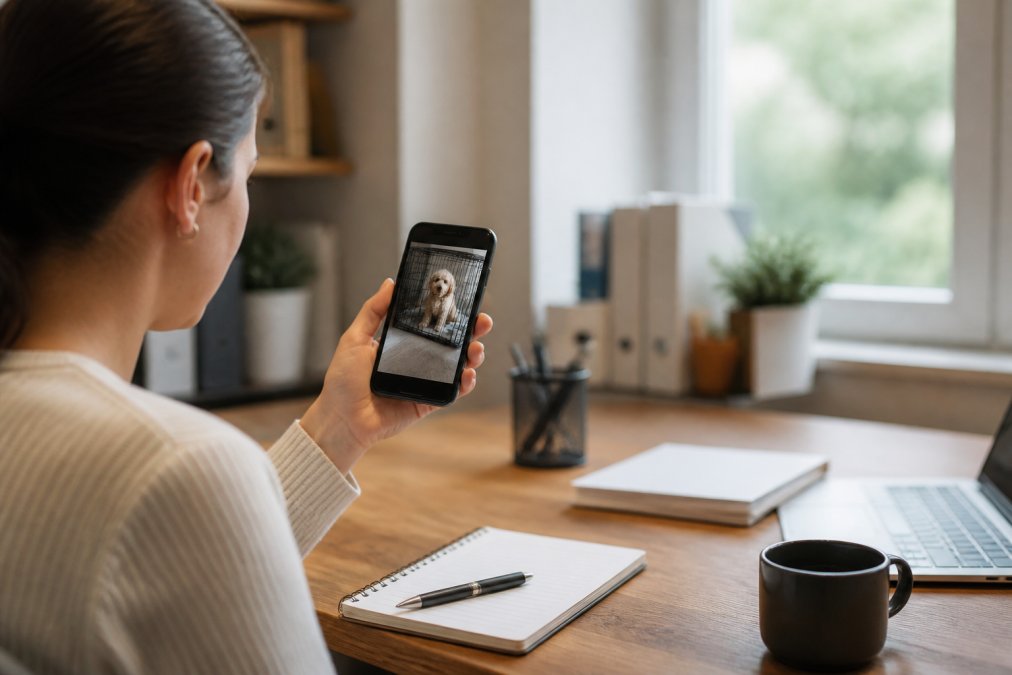
Combine remote feedback with environmental management. If your dog barks at outside noise, close curtains or play background sound in the room. If it barks from boredom, leave a puzzle toy or long-lasting chew. The camera helps you reinforce training; environmental changes reduce the triggers that spark barking in the first place.
Setting Up Your Pet Camera for Training Success
Placement is everything. Position your camera to capture your dog's entire training zone, usually the crate, bed, or confinement area. Mount it at your dog's eye level or slightly above, not from the ceiling looking down. You need to see facial expressions, ear position, and body tension.
Test the field of view before committing to a location. Most cameras have a 130-160 degree field of view. Check that you can see your dog's entire body and any objects it might interact with, toys, water bowls, the crate door.
Lighting affects what you can see. Natural light is ideal, but if your dog stays in a dim room, choose a camera with strong night vision or infrared capability. Low-light performance varies significantly between models. Read reviews specifically about night vision quality if your dog spends time in darker spaces.
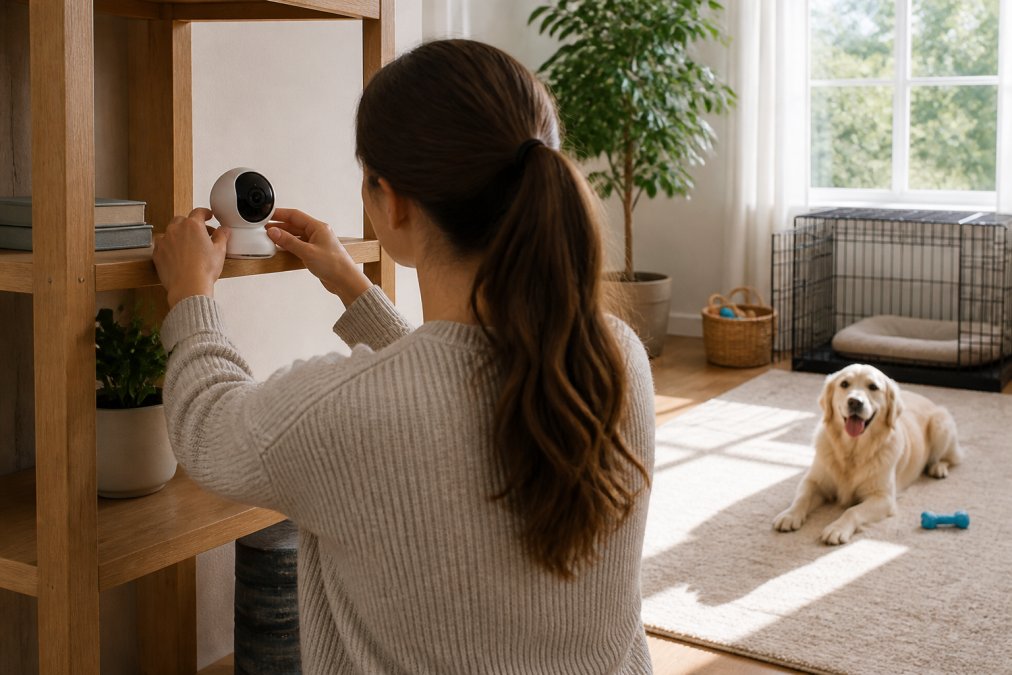
Test connectivity from the location where you'll be during training sessions, typically your workplace. A camera that works perfectly at home but drops connection when you're at the office is worthless. Check Wi-Fi signal strength and test the app from multiple locations.
Configure motion detection alerts so you're notified when your dog moves. This lets you catch training opportunities you might otherwise miss. Adjust sensitivity carefully; too high and you'll get alerts from dust motes; too low and you'll miss actual movement.
Set up recording if your camera supports it. Video footage lets you review training sessions later and spot patterns you missed in real time. This data-driven approach to progress tracking helps you adjust your strategy based on what actually works for your dog.
Create a consistent routine around camera use. Train at the same times each day if possible. Your dog will begin to anticipate training sessions, which increases focus and responsiveness.
Common Mistakes to Avoid When Training with Pet Cameras
The most frequent mistake is using the camera reactively rather than proactively. You notice your dog barking and respond, but you're already behind. The barking has already reinforced itself. Instead, watch for the moment your dog settles and reward that behaviour. Catching the right action beats interrupting the wrong one.
Inconsistent timing ruins training. If you sometimes reward calm behaviour and sometimes ignore it, your dog learns nothing reliable. Every single instance of the target behaviour needs the same response, at least in the early stages. This demands focus and consistency that's harder than it sounds.
Many owners make the mistake of relying solely on remote feedback without addressing the underlying cause. If your dog is barking because it's anxious, bored, or uncomfortable, no amount of camera-based correction will fix it. You must also address the root, exercise, mental stimulation, comfort, or anxiety treatment.
Overusing audio feedback is another common error. Constant chatter through the camera teaches your dog to ignore you. Use audio sparingly and purposefully. A calm, clear command followed by silence is more effective than running commentary.
Treating the camera as a substitute for your presence doesn't work. A pet camera supports training; it doesn't replace it. You still need in-person interaction, physical exercise, and real-world practice. The camera bridges gaps when you can't be there, but it's not a complete training solution.
Some owners set unrealistic expectations. Training takes time. Separation anxiety doesn't resolve in a week. Barking habits built over months take weeks or months to change. The camera accelerates progress, but it doesn't eliminate the need for patience.
Forgetting to charge batteries or maintain the device is surprisingly common. A camera that's dead or dirty teaches nothing. Build device maintenance into your routine.
Conclusion
Pet cameras for training work best when you approach them as tools for reinforcing positive behaviour, not as replacements for consistent, hands-on training. The combination of live monitoring, two-way audio, and treat dispensing gives you real-time influence over your dog's choices when you can't be physically present.
The most successful owners treat the camera as part of a broader training plan. They use it to interrupt unwanted behaviours, reward calm responses, and build data about their dog's progress. They combine remote feedback with environmental management and in-person training sessions.
Doggo Shop understands that modern dog owners need solutions that fit busy schedules. Our range of interactive pet products, from smart feeders to durable training toys, works alongside pet cameras to create a complete training environment. When you choose quality tools and commit to consistent practice, you see real behavioural change. Start with a clear training goal, set up your camera thoughtfully, and focus on rewarding the behaviours you actually want to see. Your dog will respond.
Association of Professional Dog Trainers guidance on positive reinforcement
Dogs Trust information on separation anxiety in dogs
Blue Cross advice on managing dog anxiety and behaviour
Frequently Asked Questions
Can I use a pet camera to help with separation anxiety?
Yes. Pet cameras with two-way audio let you speak to your dog in real-time, providing reassurance when they're anxious about being alone. Combined with treat dispensing, they create positive associations with your absence. Live streaming and motion detection also help you monitor behavioral cues and adjust your training approach based on what you observe.
What features should I look for in a training-focused pet camera?
Prioritise two-way audio communication, interactive treat dispensing, night vision for low-light monitoring, and motion detection with push notifications. App-based control with minimal latency ensures real-time feedback during training sessions. Look for cameras with solid connectivity and video recording so you can track behavioral patterns over time and measure progress.
Are pet cameras good for behavioural training?
Pet cameras are valuable tools for positive reinforcement training. They let you deliver immediate feedback when your dog displays desired behaviour, reinforcing good habits. However, they work best alongside clicker training and desensitisation protocols, they're not a replacement for consistent training, but rather a way to extend your presence and provide timely rewards when you're away.
How do two-way audio pet cameras assist in training?
Two-way audio lets you communicate directly with your dog during training sessions, offering verbal praise or gentle corrections in real-time. This immediate feedback helps your dog understand cause and effect, strengthening the connection between their action and your response. It's particularly effective for addressing unwanted behaviours like excessive barking or destructive habits when you're not physically present.
This article was written using GrandRanker


Leave a comment